

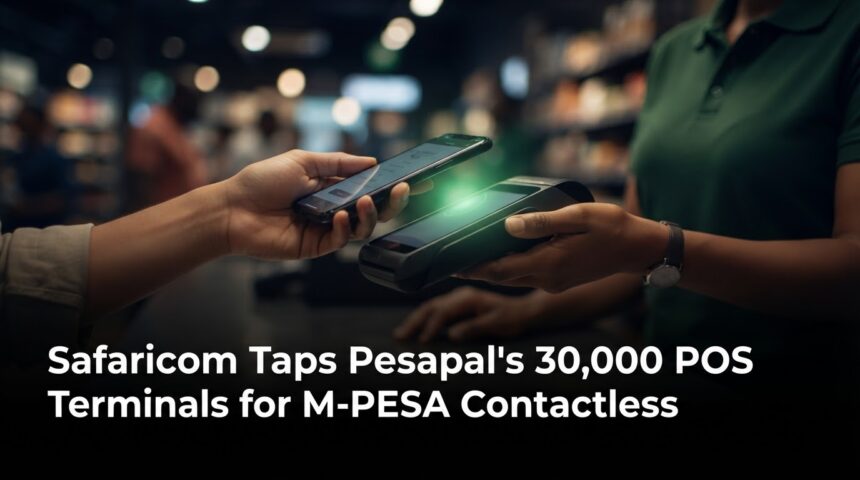
The deal gives Safaricom a shortcut. It can put M-PESA on thousands of existing checkout terminals without building its own POS network, and the Till Number system underneath stays the same. For now, tap-to-pay is exclusive to Pesapal, which gives the company an early position as Safaricom expands the service.
How M-PESA Tap-to-Pay Works
Customers with NFC-enabled smartphones tap their device on a Pesapal POS, verify the transaction details and complete the payment. NFC (near-field communication) is the same short-range technology behind contactless bank cards.
A typical checkout looks like this:
- The cashier enters the amount on the Pesapal terminal.
- You tap your NFC-enabled phone on the machine.
- You check the merchant and amount on your phone.
- You confirm the payment.
Customers use the My OneApp, which recently combined M-PESA and MySafaricom features, to complete tap payments. Reports also say customers still enter a PIN.
What Is Dynamic Scan-to-Pay?
Safaricom’s existing Scan-to-Pay lets customers scan a static QR code linked to a merchant’s Till Number. The dynamic version on Pesapal terminals fills in both the merchant details and the amount automatically, which reduces manual-entry errors.
- Static QR: a printed sticker. The customer types in the amount.
- Dynamic QR: shown on the POS screen with the amount already filled in.
- Tap-to-Pay: no scanning at all. You tap, check and confirm.
Why This Matters for Businesses
Most Kenyan merchants know M-PESA. What they gain here is convenience on hardware they may already own.
- Fewer payment errors. Pre-filled amounts and merchant details cut down on wrong entries.
- Faster queues. A tap is quicker than typing a Till Number.
- One terminal, more options. Pesapal’s terminals already accept both cards and M-PESA.
- Possibly no new hardware. Safaricom previously indicated that merchants using Pesapal’s N950s terminals and selected N950u devices could accept Tap-to-Pay without installing additional hardware. Check your own device model with Pesapal.
A small café, for example, could let customers pay with a card, a QR scan or a phone tap at the same counter.
The Bigger Picture for Kenya’s Digital Payments
Safaricom has tried contactless before. In 2017 it launched M-PESA 1Tap, which let customers pay by tapping NFC-enabled cards, wristbands and stickers on merchant terminals. This time customers can use the smartphone they already carry.
The scale is large. M-PESA had 41 million customers as of the latest reporting period and generated more than KSh 182.7 billion in revenue in fiscal 2026. On the merchant side, Scan-to-Pay is available at more than 60,000 outlets, and Safaricom aims to reach 500,000 outlets within 12 months.
What We Still Don’t Know
The launch leaves several practical questions open. According to tech-ish, the announcement does not say how many Pesapal machines or which outlets have tap and dynamic QR switched on, whether merchants pay anything extra, or whether iPhones can tap to pay. Check with Safaricom or Pesapal before you plan around any of these.
Frequently Asked Questions
Can I pay with M-PESA by tapping my phone now?
Yes, at participating Pesapal terminals, if your phone supports NFC and you have the right app. Not every outlet will have the feature switched on yet.
Do I need a new device as a merchant?
Possibly not. Safaricom has indicated that some Pesapal models work without extra hardware. Confirm yours with Pesapal.
Does tap-to-pay replace Till Numbers?
No. The payment still runs on the Till Number system. Only the way you start the payment changes.
Will it work on iPhones?
That has not been confirmed in the announcement. Check Safaricom’s guidance for your device.
Conclusion
Safaricom’s partnership with Pesapal moves M-PESA from the phone screen to the checkout counter. If it rolls out widely, shoppers get faster payments and merchants get fewer errors. How quickly that happens depends on which outlets switch the feature on. If you run a business, ask your payment provider whether your terminals support it. If you shop with M-PESA, look for the tap symbol at your next checkout.